Managing Your Subscriptions
Access your subscriptions at My Account > My Subscriptions or visit /my/subscriptions.
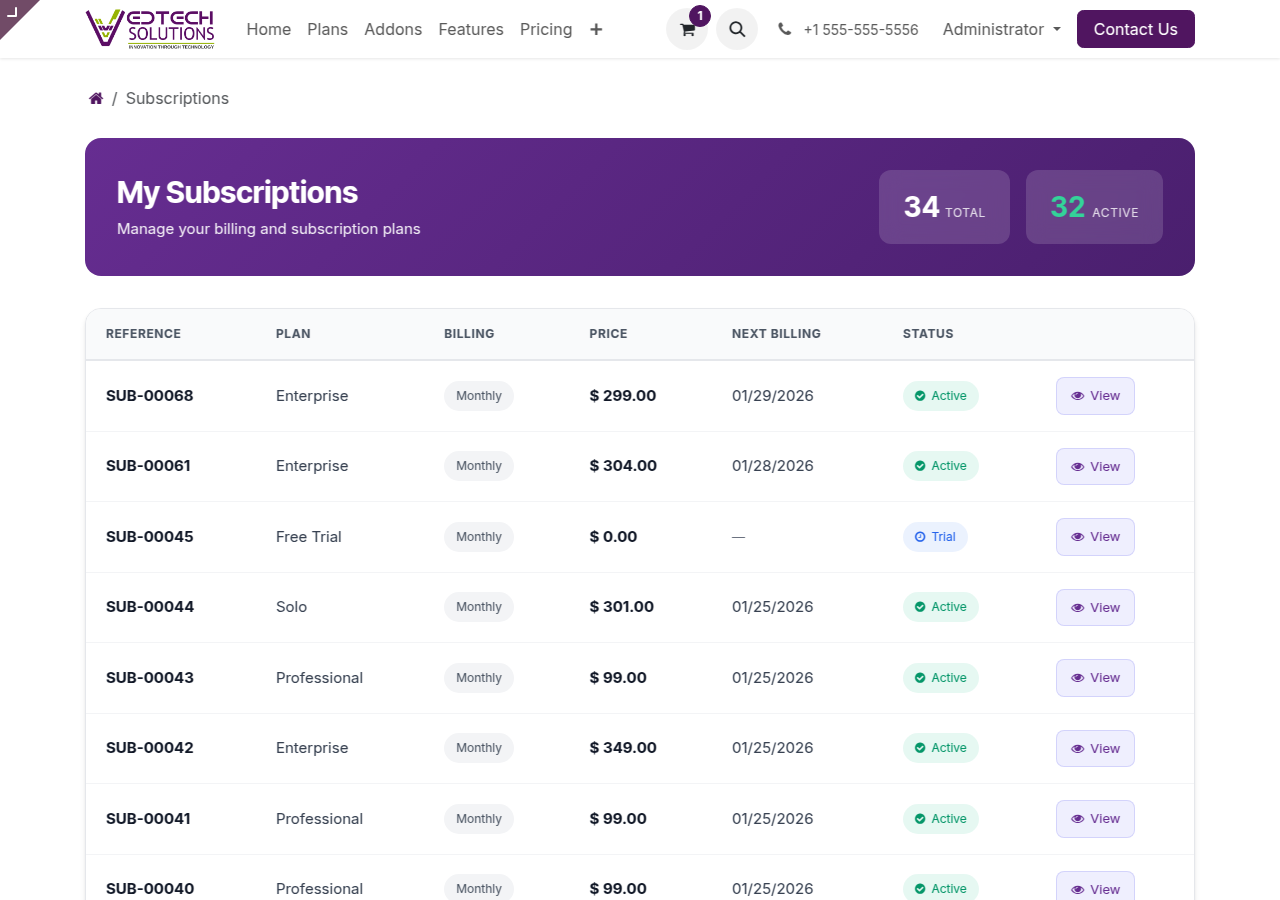
My Subscriptions Page
Subscription Information
Each subscription shows:
- Reference: Unique subscription ID (e.g., SUB-00001)
- Plan: Your subscription plan name
- Billing: Monthly or Yearly cycle
- Price: Recurring cost
- Next Billing: Date of next invoice
- Status: Active, Trial, Suspended, etc.
Subscription Details
Click on any subscription to view full details:
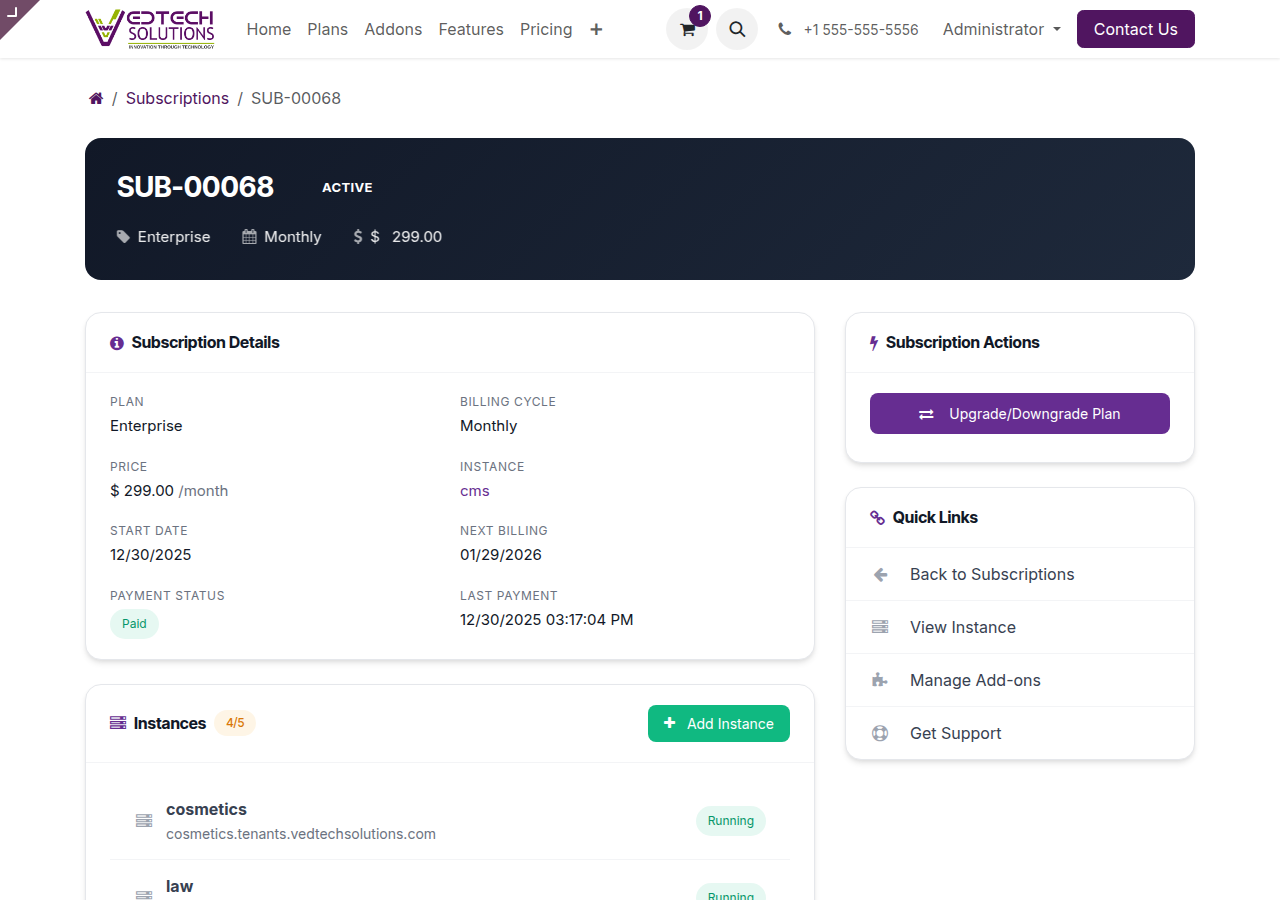
Subscription Detail Page
Changing Your Plan
You can upgrade or downgrade your plan at any time:
- Navigate to your subscription detail page
- Click Upgrade/Downgrade Plan
- Select your new plan
- Review proration charges
- Confirm the change
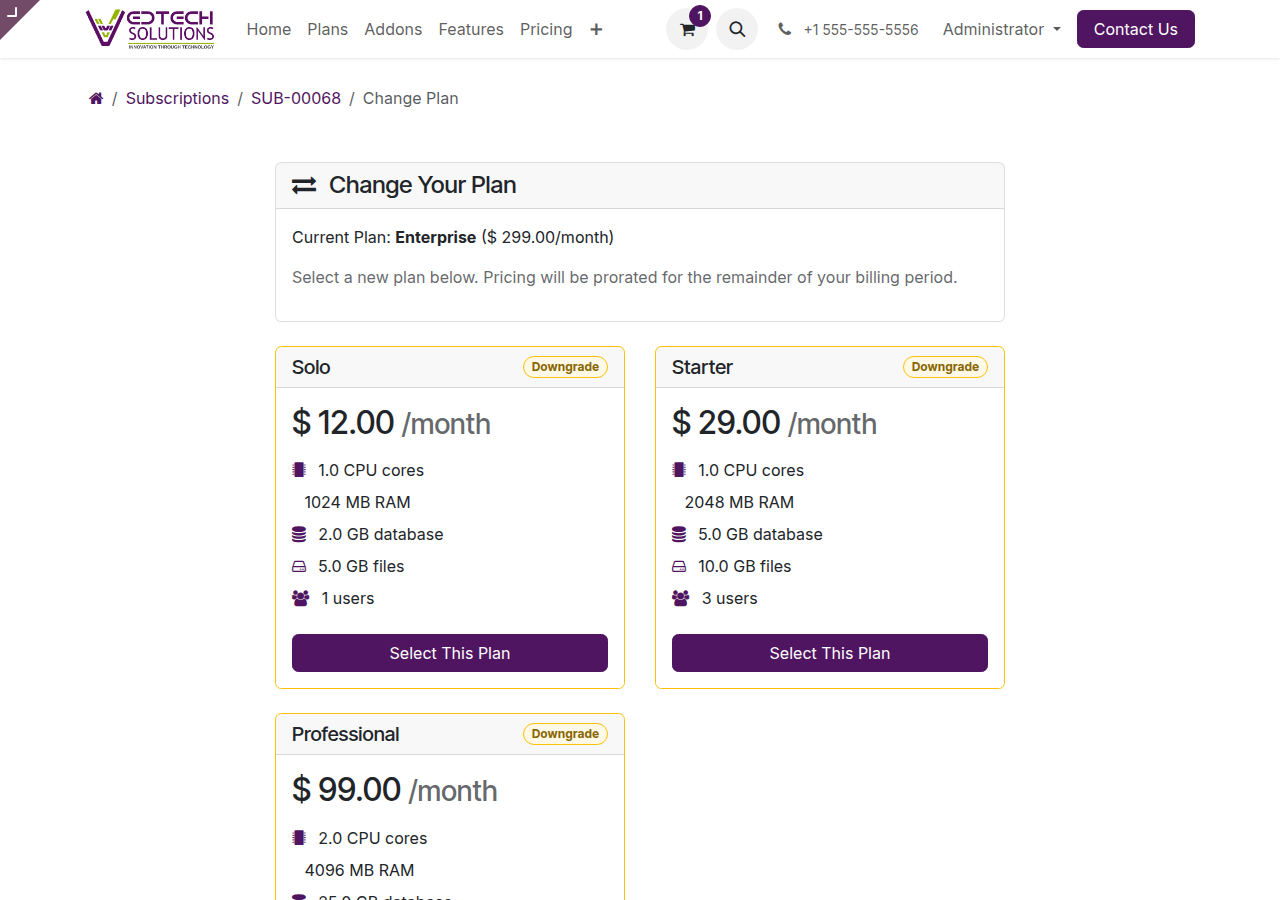
Plan Selection Page
Proration
When changing plans mid-cycle, charges are prorated automatically based on days remaining.
Related
See also: Billing & Invoices