Managing Your Instances
Access your instances by navigating to My Account > My Instances or visit /my/instances.
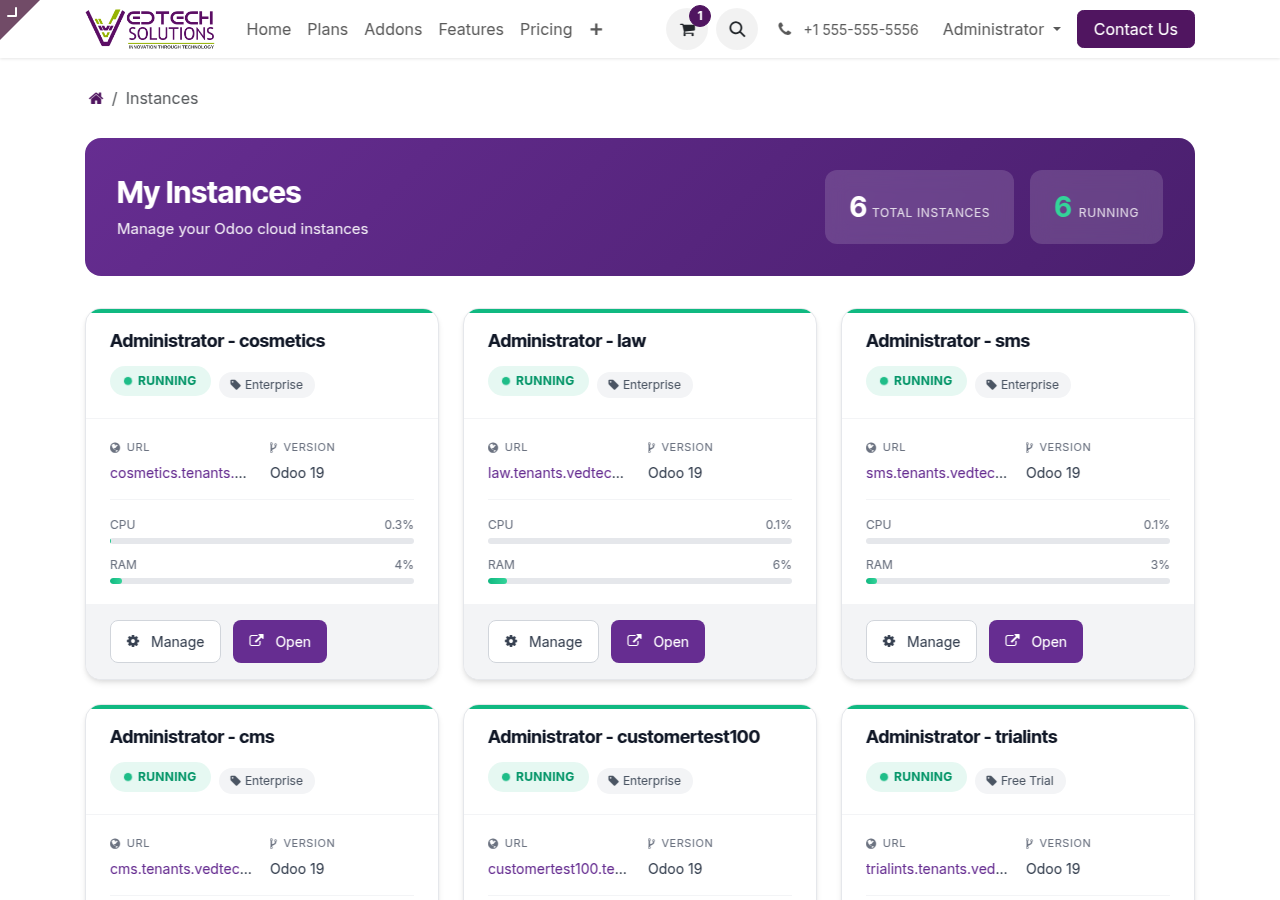
My Instances Dashboard
Instance Dashboard Overview
Each instance card shows:
- Instance Name: Click to view details
- Status Badge: Running, Stopped, etc.
- Plan: Your subscription tier
- URL: Direct link to your Odoo instance
- Resource Usage: CPU and RAM indicators
Instance Detail Page
Click on any instance to view detailed information:
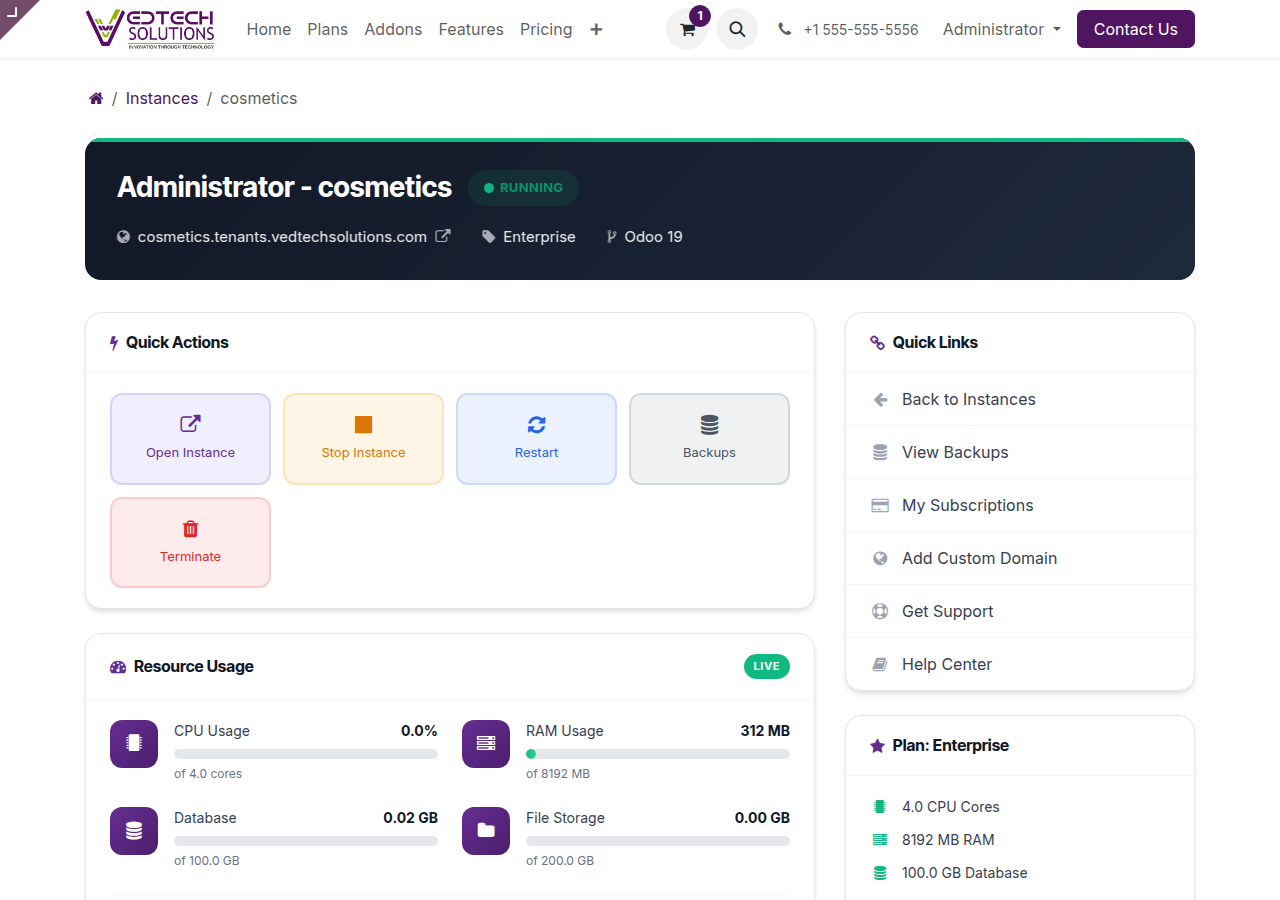
Instance Detail Page
Quick Actions
| Action | Description |
|---|---|
| Open Instance | Opens your Odoo instance in a new tab |
| Start/Stop | Control instance running state |
| Restart | Restart the instance |
| Backups | View and manage backups |
| Terminate | Permanently delete instance |
Resource Monitoring
Monitor CPU, RAM, and storage usage in real-time. Usage data updates every 5 minutes.
Related
See also: Backup & Recovery